Spanish Symbols and Accented Letters Copy and Paste for Ñ, Á, É, Í, Ó, Ú, Ü, ¿, ¡, and useful Spanish punctuation marks and special characters.
Introduction
If you need Spanish Symbols and Accented Letters you can quickly copy Spanish letters, accented characters, and punctuation marks from one place. Find Ñ, Á, É, Í, Ó, Ú, Ü, ¿, ¡, and other special characters below.
Spanish Symbols and Letters Copy and Paste
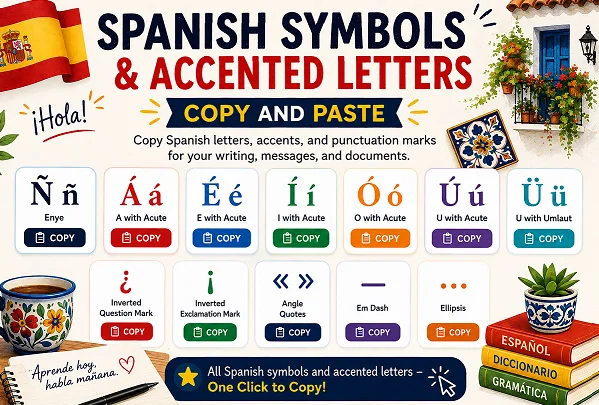
Here are the most commonly used characters for Spanish Symbols and Accented Letters. You can copy them directly from the table and use them wherever you need Spanish text.
Quick Copy Buttons
<button type=”button” onclick=”navigator.clipboard.writeText(‘Ñ ñ’)”>Copy Ñ ñ</button>
<button type=”button” onclick=”navigator.clipboard.writeText(‘Á á’)”>Copy Á á</button>
<button type=”button” onclick=”navigator.clipboard.writeText(‘É é’)”>Copy É é</button>
<button type=”button” onclick=”navigator.clipboard.writeText(‘Í í’)”>Copy Í í</button>
<button type=”button” onclick=”navigator.clipboard.writeText(‘Ó ó’)”>Copy Ó ó</button>
<button type=”button” onclick=”navigator.clipboard.writeText(‘Ú ú’)”>Copy Ú ú</button>
<button type=”button” onclick=”navigator.clipboard.writeText(‘Ü ü’)”>Copy Ü ü</button>
<button type=”button” onclick=”navigator.clipboard.writeText(‘¿’)”>Copy ¿</button>
<button type=”button” onclick=”navigator.clipboard.writeText(‘¡’)”>Copy ¡</button>
<button type=”button” onclick=”navigator.clipboard.writeText(‘« »’)”>Copy « »</button>
<button type=”button” onclick=”navigator.clipboard.writeText(‘—’)”>Copy —</button>
<button type=”button” onclick=”navigator.clipboard.writeText(‘…’)”>Copy …</button>
| Character | Uppercase | Lowercase | Copy |
| Eñe | Ñ | ñ | Ñ ñ |
| A with acute accent | Á | á | Á á |
| E with acute accent | É | é | É é |
| I with acute accent | Í | í | Í í |
| O with acute accent | Ó | ó | Ó ó |
| U with acute accent | Ú | ú | Ú ú |
| U with diaeresis | Ü | ü | Ü ü |
| Inverted question mark | ¿ | — | ¿ |
| Inverted exclamation mark | ¡ | — | ¡ |
Ñ and ñ Copy and Paste
Ñ ñ
<button type=”button” onclick=”navigator.clipboard.writeText(‘Ñ ñ’)”>Copy Ñ ñ</button>
The letter Ñ is one of the most recognizable Spanish letters. It is used in words such as niño, niña, España, mañana, and señor.
If you need the eñe quickly, copy it here from this Spanish Symbols and Accented Letters collection:
Ñ
ñ
Á á Copy and Paste
Á á
<button type=”button” onclick=”navigator.clipboard.writeText(‘Á á’)”>Copy Á á</button>
The acute accent can mark the stressed syllable in Spanish words. You can copy both uppercase and lowercase forms here: Spanish Symbols and Accented Letters
Á
á
É é Copy and Paste
É é
<button type=”button” onclick=”navigator.clipboard.writeText(‘É é’)”>Copy É é</button>
The letter E with an acute accent appears in Spanish words where the written accent marks the stressed syllable. It is useful when you need accurate accented letters copy paste characters. Spanish Symbols and Accented Letters
É
é
Í í Copy and Paste
Í í
<button type=”button” onclick=”navigator.clipboard.writeText(‘Í í’)”>Copy Í í</button>
Use these accented I characters when you need to type Spanish words containing an accented vowel. They are ready for quick copy and paste.
Í
í
Ó ó Copy and Paste
Ó ó
<button type=”button” onclick=”navigator.clipboard.writeText(‘Ó ó’)”>Copy Ó ó</button>
The accented O is another common Spanish character used in Spanish writing.
ó
Ú ú Copy and Paste
Ú ú
<button type=”button” onclick=”navigator.clipboard.writeText(‘Ú ú’)”>Copy Ú ú</button>
If you need Á É Í Ó Ú copy paste characters together, use this convenient set: Spanish Symbols and Accented Letters
Á É Í Ó Ú
á é í ó ú
Ü ü Copy and Paste
Ü ü
<button type=”button” onclick=”navigator.clipboard.writeText(‘Ü ü’)”>Copy Ü ü</button>
The diaeresis, or two dots above the U, is used in certain Spanish words to show that the u should be pronounced. This makes Ü copy and paste useful when typing words that contain ü. Spanish Symbols and Accented Letters
Copy the characters here:
Ü
ü
Spanish Keyboard Symbols
Spanish typing also uses punctuation marks that are different from those normally used in English. The most important Spanish keyboard symbols include the inverted question mark and inverted exclamation mark. They are included here for easy access. Spanish Symbols and Accented Letters
Inverted Question Mark Copy and Paste
¿
<button type=”button” onclick=”navigator.clipboard.writeText(‘¿’)”>Copy ¿</button>
The inverted question mark copy paste character is placed at the beginning of a Spanish question, while a regular question mark is placed at the end. This is one of the key punctuation differences between Spanish and English. Spanish Symbols and Accented Letters
Example:
¿Cómo estás?
Copy: ¿
Inverted Exclamation Mark Copy and Paste
¡
<button type=”button” onclick=”navigator.clipboard.writeText(‘¡’)”>Copy ¡</button>
The inverted exclamation mark copy paste character is placed at the beginning of an exclamation in Spanish, with the regular exclamation mark appearing at the end. Spanish Symbols and Accented Letters
Example:
¡Hola!
Copy: ¡
Spanish Punctuation Marks Copy and Paste
Spanish writing can also use several other punctuation and typographic characters. Here are useful Spanish punctuation marks included in this guide: Spanish Symbols and Accented Letters
| Symbol | Name | Copy |
| ¿ | Inverted question mark | ¿ |
| ¡ | Inverted exclamation mark | ¡ |
| « » | Guillemets | « » |
| — | Em dash | — |
| … | Ellipsis | … |
<button type=”button” onclick=”navigator.clipboard.writeText(‘« »’)”>Copy « »</button>
<button type=”button” onclick=”navigator.clipboard.writeText(‘—’)”>Copy —</button>
<button type=”button” onclick=”navigator.clipboard.writeText(‘…’)”>Copy …</button>
These symbols are useful when writing Spanish quotations, dialogue, questions, exclamations, and other text.
Spanish Letters Copy Paste: Complete Set
For quick access, here is a combined collection of the most useful accented Spanish letters and Spanish letters copy paste characters:
Ñ ñ Á á É é Í í Ó ó Ú ú Ü ü
You can copy any of these accented letters copy paste characters and use them in documents, websites, social media posts, messages, or Spanish-language assignments.
Special Spanish Characters
The following collection contains the most useful special Spanish characters in one place, making them convenient for everyday typing.
Ñ ñ
Á á
É é
Í í
Ó ó
Ú ú
Ü ü
¿ ¡
« »
—
…
Spanish Symbols Copy Paste: Quick Reference
| Category | Characters |
| Eñe | Ñ ñ |
| Accented A | Á á |
| Accented E | É é |
| Accented I | Í í |
| Accented O | Ó ó |
| Accented U | Ú ú |
| U with diaeresis | Ü ü |
| Inverted question | ¿ |
| Inverted exclamation | ¡ |
| Guillemets | « » |
| Em dash | — |
| Ellipsis | … |
How to Copy Spanish Characters
Copying these characters is simple, whether you are using a computer or phone:
- Find the Spanish letter or symbol you need.
- Select the character with your mouse or keyboard.
- Copy it using Ctrl + C on Windows or Command + C on Mac.
- Paste it wherever you need it using Ctrl + V or Command + V.
This is especially useful when you do not have a Spanish keyboard installed. The characters on this page provide a quick copy-and-paste solution.
Conclusion
Copying Spanish letters, accents, and punctuation is quick and easy with this guide. Keep these characters handy whenever you need them for Spanish writing, messages, documents, or everyday text. Spanish Symbols and Accented Letters
Frequently Asked Questions
What are the most common Spanish symbols?
The most common Spanish symbols include Ñ, ñ, Á, á, É, é, Í, í, Ó, ó, Ú, ú, Ü, ü, ¿, and ¡.
Where can I copy Spanish accented letters?
You can copy Ñ ñ, Á á, É é, Í í, Ó ó, Ú ú, and Ü ü directly from this page.
What is the Spanish inverted question mark?
The inverted question mark is ¿. It is placed at the beginning of a Spanish question, followed by a regular question mark at the end.
What is the Spanish inverted exclamation mark?
The inverted exclamation mark is ¡. It appears at the beginning of Spanish exclamations, with a regular exclamation mark at the end.