Learn Capital Ñ vs Small ñ with Unicode codes, shortcuts, copy-paste methods, uses, and easy ways to type both enye characters correctly.
Introduction
Understanding Capital Ñ vs Small ñ is useful when typing Spanish words, names, and places. The uppercase form is Ñ, while the lowercase form is ñ, and both represent the same letter in different cases.
This guide explains their differences, Unicode codes, keyboard shortcuts, and easy copy-paste methods.
Capital Enye
The capital enye is written as Ñ. It is the uppercase version of the enye character and is used when the letter appears at the beginning of a word that requires capitalization, in a proper name, in a heading, or in text written entirely in uppercase.
You can copy the capital enye here:
Ñ
The tilde above the N is part of the character. It should not be removed when the original spelling requires Ñ. Using N instead may make a name or Spanish word inaccurate.
When learning Capital Ñ vs Small ñ, remember that the capital form is used when uppercase writing is required. The letter keeps its tilde even when it changes from lowercase to uppercase.
Small Enye
The small enye is written as ñ and is the lowercase version of the same letter. It is common in Spanish words such as niño, año, mañana, señor, and español.
You can copy the small enye here:
ñ
The character can be copied directly into Microsoft Word, Google Docs, emails, websites, forms, and social media posts. This is useful when your current keyboard layout does not provide an easy enye key.
Uppercase Ñ
Uppercase Ñ is needed whenever the enye must follow an uppercase capitalization rule. It can appear at the beginning of a sentence, in a person’s name, in a title, or in a word written in all capital letters.
The character is:
Ñ
The uppercase form is not a separate letter from lowercase ñ; it is the capital case of the same letter. This simple distinction is the foundation of Capital Ñ vs Small ñ.
The tilde remains visible above the N, so it should be included when copying or typing the character.
For Capital Ñ vs Small ñ, the most important point is simple: Ñ is uppercase and ñ is lowercase. Their letter case changes, but the underlying character is the same enye letter.
Lowercase ñ
Lowercase ñ is normally used in standard Spanish text when the word is not capitalized. Examples include niño, año, mañana, español, and señor.
The character is:
ñ
Using lowercase ñ instead of an ordinary n helps preserve correct spelling. This matters in schoolwork, translations, websites, business documents, names, messages, and other writing where the original language should remain accurate.
If you are checking Capital Ñ vs Small ñ while writing a sentence, look at the capitalization of the word. Use ñ in ordinary lowercase text and Ñ when the capitalization rule calls for an uppercase letter.
Big Enye Copy Paste
If you need a big enye copy-paste option, copy this uppercase character:
Ñ
Select the character, press Ctrl + C, place your cursor where you want it, and press Ctrl + V. The same method works in many desktop programs and web applications.
Copy-paste is a practical option when you do not remember an Alt code or when your keyboard does not include a dedicated enye key. It is also helpful when you only need the character occasionally.
For quick Capital Ñ vs Small ñ access, you can save both characters in a note or bookmark this page. Then you can copy the required form whenever you need it.
Small Enye Copy Paste
For small enye copy paste, use this character:
ñ
Highlight ñ, copy it with Ctrl + C, and paste it with Ctrl + V. On a phone or tablet, you can copy the character from this guide and paste it into a message, document, search box, or social media post.
Copying the character is often faster than searching through a symbol menu. For quick Capital Ñ vs Small ñ tasks, this method is convenient.
When using Capital Ñ vs Small ñ, check the case before pasting. Choose Ñ for uppercase text and ñ for lowercase text.
Capital Enye Shortcut
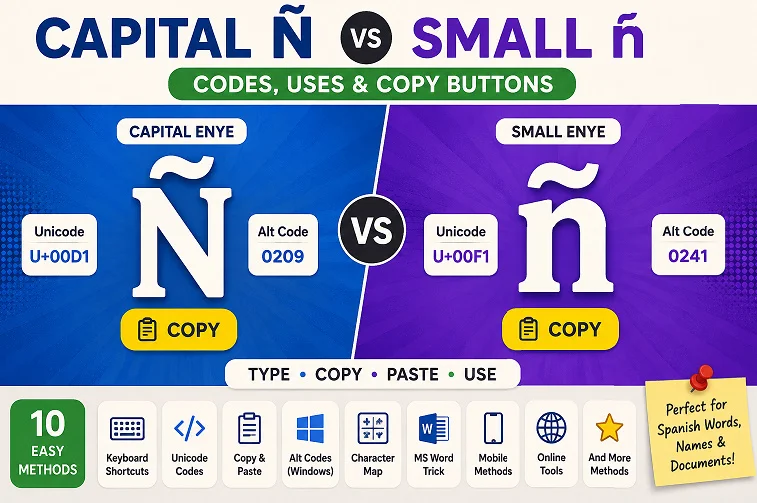
On Windows, a common shortcut for capital Ñ is Alt + 0209 when a numeric keypad is available.
To use it:
- Turn on Num Lock if necessary.
- Hold the Alt key.
- Type 0209 on the numeric keypad.
- Release Alt.
The result should be:
Ñ
This method is convenient for users who regularly type Spanish text. However, Alt codes can depend on keyboard configuration, so the shortcut may not work in every application or on every device.
Microsoft Word also offers symbol and Unicode options. These choices are useful when Capital Ñ vs Small ñ shortcuts are unavailable. If an Alt code is unavailable, one of those methods or copy-paste can be used instead.
Small Enye Shortcut
A common Windows shortcut for lowercase ñ is Alt + 0241 with a numeric keypad.
Follow these steps:
- Enable Num Lock if required.
- Hold the Alt key.
- Type 0241 on the numeric keypad.
- Release Alt.
The result should be:
ñ
If your laptop does not have a numeric keypad, Microsoft Word Unicode conversion, Windows character tools, a Spanish keyboard layout, or copy-paste can provide alternatives.
Knowing both shortcuts makes Capital Ñ vs Small ñ easier to handle when switching between uppercase and lowercase Spanish writing.
Ñ and ñ Unicode
Unicode gives each character a unique code point so computers and applications can identify it consistently. Uppercase Ñ uses U+00D1, while lowercase ñ uses U+00F1.
| Character | Unicode | HTML Entity |
| Ñ | U+00D1 | Ñ |
| ñ | U+00F1 | ñ |
In Microsoft Word, type 00D1 and press Alt + X to convert the code into Ñ. For lowercase ñ, type 00F1 and press Alt + X.
Unicode is useful when you need precise character information or when a keyboard shortcut is not available. It can also help when working with HTML, documents, databases, and other digital content.
The Unicode values are another useful part of understanding Capital Ñ vs Small ñ because they distinguish the uppercase and lowercase forms digitally.
Difference Between Ñ and ñ
The main difference between Ñ and ñ is capitalization. Ñ is uppercase, while ñ is lowercase. Both are the same enye letter and both contain the tilde above the N.
| Feature | Ñ | ñ |
| Case | Uppercase | Lowercase |
| Name | Capital Enye | Small Enye |
| Unicode | U+00D1 | U+00F1 |
| Example | Ñandú | niño |
| Typical use | Names, headings, uppercase text | Normal lowercase words |
When comparing Capital Ñ vs Small ñ, the choice depends on the capitalization required by the word or sentence. If the letter must be uppercase, use Ñ. If it belongs in ordinary lowercase text, use ñ.
Understanding Capital Ñ vs Small ñ helps prevent accidental spelling changes. The two characters should not automatically be replaced with N or n when the original word specifically uses the enye letter.
Conclusion
Understanding Capital Ñ vs Small ñ makes typing Spanish words, names, and other text much easier. Ñ is the uppercase form, while ñ is the lowercase form, and both can be entered through shortcuts, Unicode codes, character tools, keyboard layouts, or copy-paste.
For Capital Ñ vs Small ñ, occasional use is easiest with copying the required character. For frequent typing, Alt codes, Unicode conversion, or a Spanish keyboard layout can be more convenient. Keeping both Ñ and ñ available makes accurate writing quicker.
FAQs
What is the capital enye character?
The capital enye character is Ñ, the uppercase form of the enye letter.
What is the small enye character?
The small enye character is ñ, the lowercase form of the enye letter.
What is the Unicode for uppercase Ñ?
The Unicode code point for uppercase Ñ is U+00D1.
What is the Unicode for lowercase ñ?
The Unicode code point for lowercase ñ is U+00F1.
How can I quickly type Ñ and ñ?
You can use Windows Alt codes, Unicode methods in Microsoft Word, keyboard layouts, character tools, or copy and paste the characters directly.